BUS G-FORCE COMFORT v1.3 – ETS2 (Coaches DLC)
What’s new in v1.3
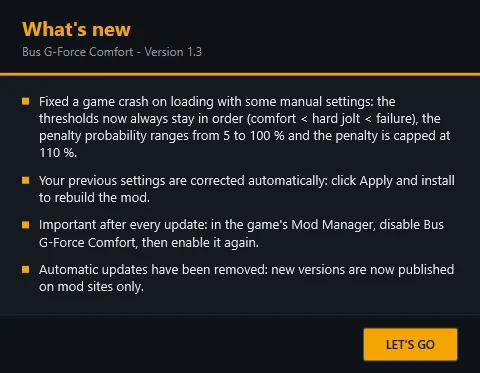
– Fixed a crash that could occur while loading the game with certain manual slider settings. Thanks to the players who reported it. The game rejects some values in bus_economy_data.sii, so the tool now keeps every setting within the accepted limits:
– The thresholds always remain in order: Comfort < Hard jolt < Failure. Moving one slider adjusts the others if needed.
– Penalty probability now ranges from 5% to 100% (0% caused the game to crash).
– Penalty is now capped at 110%. Higher values would make a hard jolt cost more than 100% satisfaction, which the game does not allow.
– The “Disabled” preset now uses a 5% penalty probability. It still applies no penalty because the penalty value is 0%.
– Your previous settings are corrected automatically. Click “Apply and install” once to rebuild the mod.
– Automatic updates have been removed. The tool no longer connects to the Internet. New versions will be published on mod sites only.
– All 11 languages have been updated.
Upgrading from v1.1 or v1.2
1. Replace the old “Bus G-Force Comfort.exe” with the new one. Your settings will be kept.
2. Run the tool and click “Apply and install”.
3. Important: In the game’s Mod Manager, disable “Bus G-Force Comfort” and confirm, then enable it again and confirm. Do this after every mod update; otherwise, the game may continue using the old version.
4. Restart the game if it was running.
Note: The update banner in v1.1 and v1.2 will not announce this version or any future versions. Check the mod page for updates.
v1.2 changes
– Convoy compatibility: The mod no longer appears as “incompatible” in Convoy. It is now flagged as an optional multiplayer mod, so every player keeps their own G-force settings, and players without the mod can still join.
– The mod file now has a unique name for each player (bus_gforce_xxxxxx.scs), so Convoy no longer compares your settings with the host’s. This fixes the “Wrong version” error.
Important: To play in Convoy with this mod:
1. The convoy host must enable “Optional mods” when creating the session. Without this option, the session refuses all mods, including optional ones, and you will get an “Incompatible mods” error. Check the session browser details to confirm they show “Optional mods: Yes”.
For a dedicated server, set mods_optioning: true in server_config.sii.
2. Players must allow servers with optional mods in the session browser filters under “Advanced filters”.
3. Everyone using the mod must have v1.2 or later. Older versions are not optional and will block the session.
– Added a “What’s new” window, which shows what changed the first time you run a new version.
– Important when upgrading from v1.1: The mod file has a new name, so enable “Bus G-Force Comfort” again in the Mod Manager once. The old file is removed automatically.
v1.1 changes
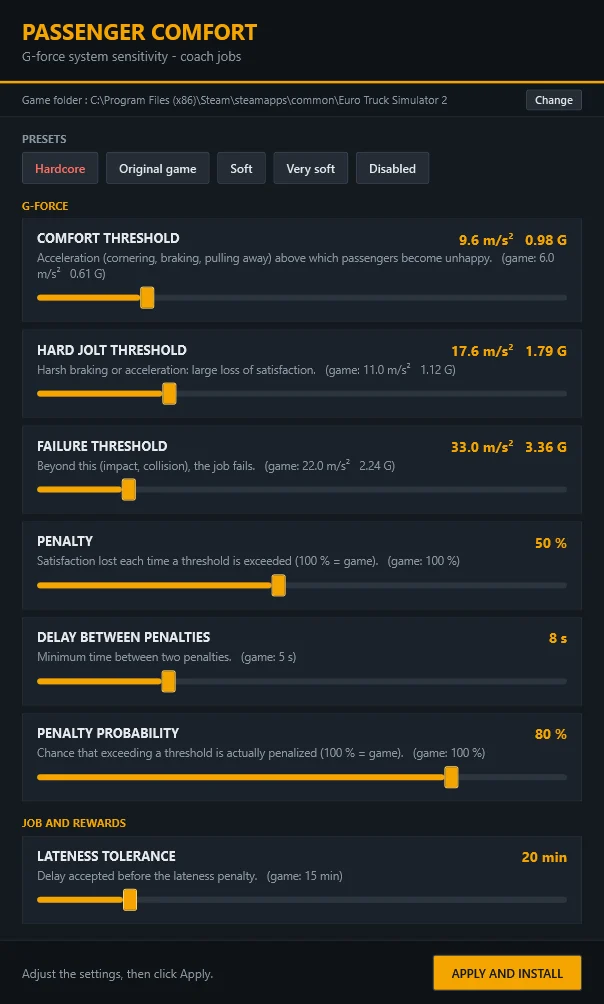
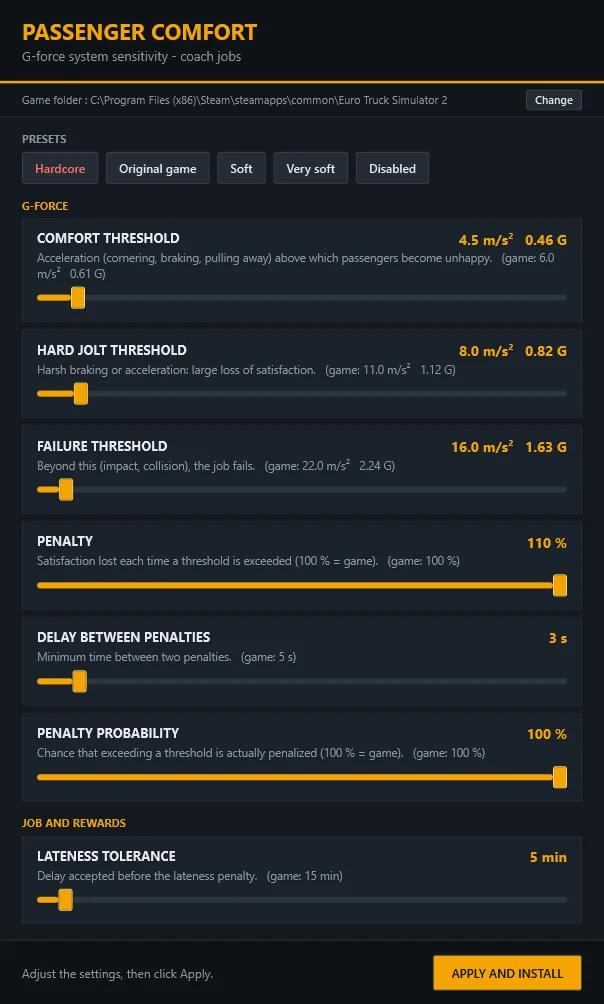
– Added a “Hardcore” preset as the first button, shown in red, for players who want a real challenge. It is harder than the original game but still manageable with smooth driving:
– Comfort threshold: 4.5 m/s² (0.46 G)
– Hard jolt threshold: 8 m/s²
– Failure threshold: 16 m/s²
– Penalty: 110%
– Delay between penalties: 3 s
– Penalty probability: 100%
– Late tolerance: 5 min
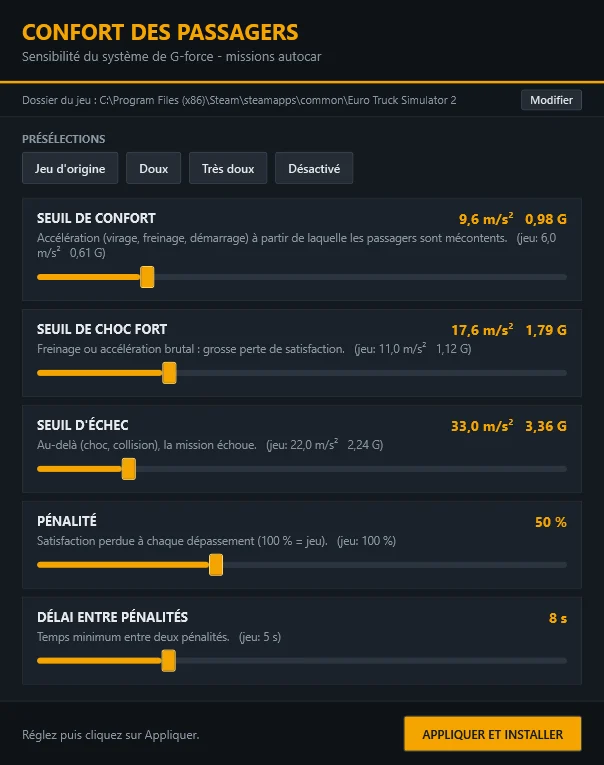
– Added a “Penalty probability” setting: the chance that exceeding a G-force threshold will actually result in a penalty. The original game uses 100%. Lower the value to make passengers more forgiving.
– Added a “Late tolerance” setting: how many minutes late you can arrive before the lateness penalty applies. The original game uses 15 min.
– Settings are now grouped into “G-force” and “Job and rewards”, and the version number is shown in the window title.
Credits:
Tchihi / antifake 13