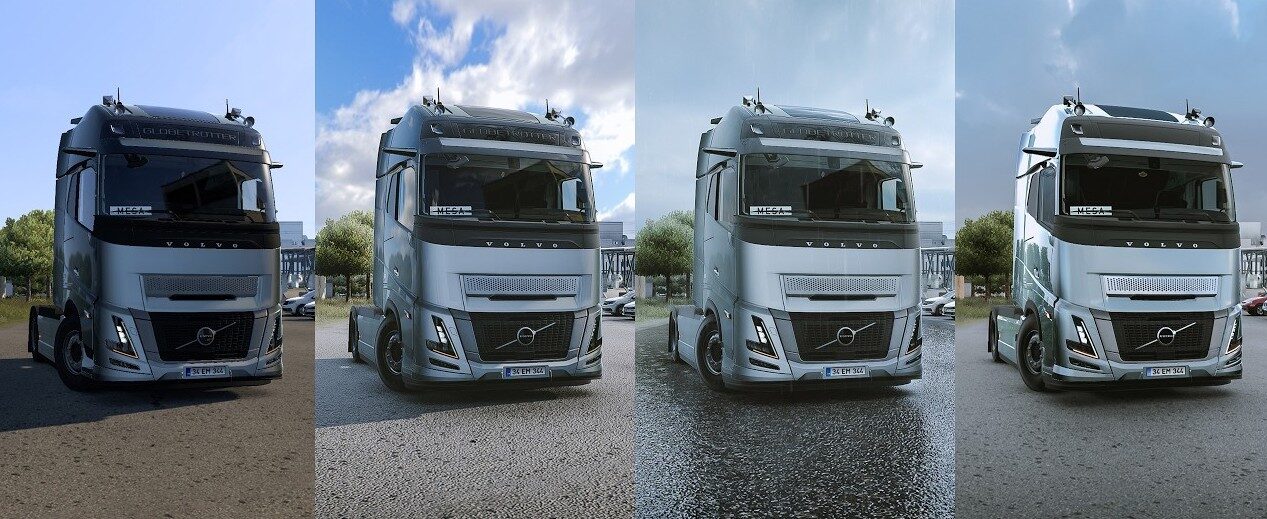
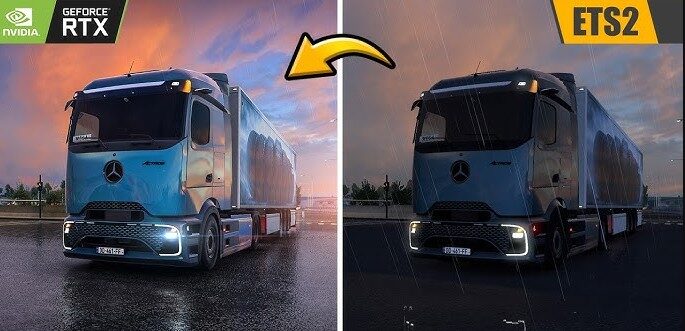
Plug-in for changing graphics and lighting
Lighting improvements;
Temporary Anti-Aliasing;
DLAA/DLSS 3.7;
Motion blur.
Go to the ETS2/ATS folder
Go to the folder “bin/win_x64”
Copy and paste “dxgi.dll ” and “nvngx_dlss.dll ” (for DLSS)
Starting the game with DirectX 11
Press the “END” or “CTRL+P” key to open the ingame menu
Dlss for Nvidia only
Credits:
Snowy Moon
Sponsored links
Sponsored links
![[1.61] High Quality Dashboard DAF NG2021+ – V2.15](https://ets2.lt/wp-content/uploads/2026/10/1.61-High-Quality-Dashboard-DAF-NG2021-V2.15-1.webp)
![[1.61] ETS2 Realistic Light Effect – V2.4.9.15](https://ets2.lt/wp-content/uploads/2026/10/1.61-ETS2-Realistic-Light-Effect-V2.4.9.15-1-750x422.webp)

not for 1.60 fake!!!!
duzeldimi mod
why put its for 1.60 when its not unless this is a stolen mod?
FIX THE MODE, MAKE IT 1.60 OR 1.61, OR DON’T DO IT AT ALL, WHAT IS THIS?
it says incompatible with 1.60
HATA VERIYOR
it says incompatible with 1.60
Hi. You don’t have to copy it to the mod folder (Go to the folder “bin/win_x64”) but here.
Hey, yeah no it gives the error, that the max version is 1.59 when placing it in the correct folders so..