1. Two games, one window
Switch between Euro Truck Simulator 2 and American Truck Simulator from a single window. Your install and profiles are detected automatically on Linux (native and Proton) and Windows.
2. Browse every mod
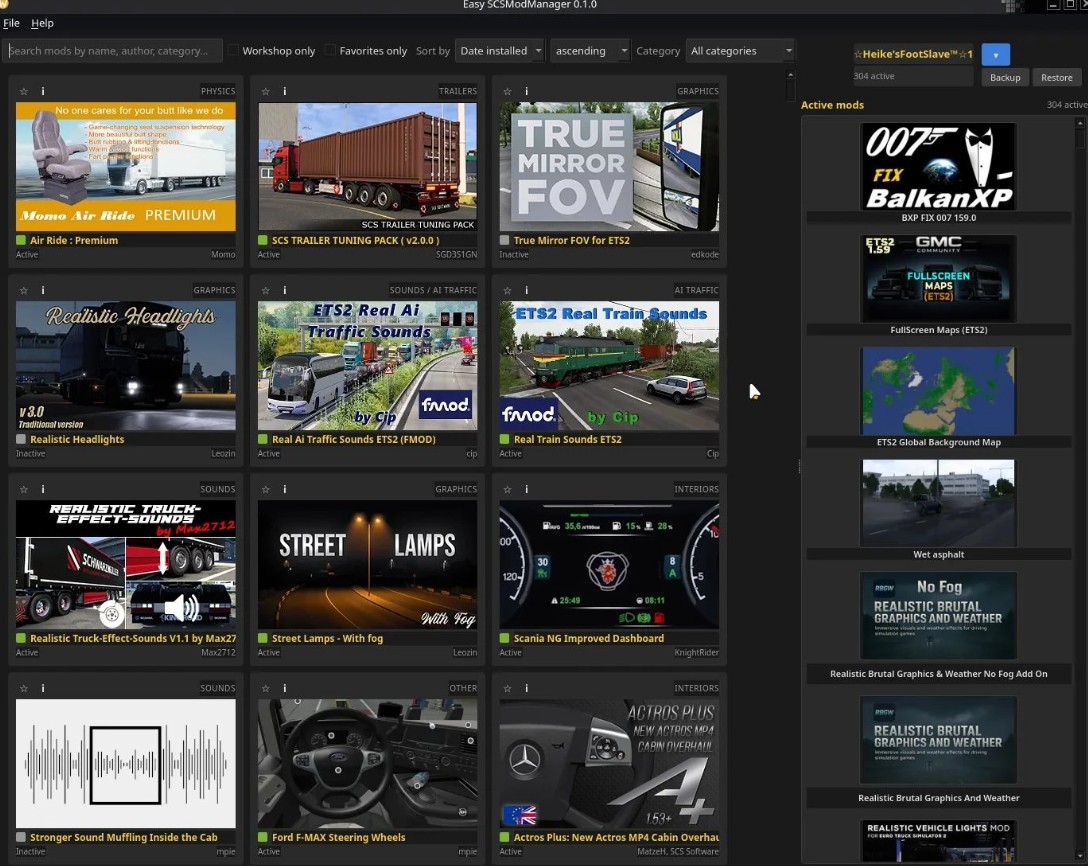
Your local mod folder and your Steam Workshop subscriptions, shown in a card grid with icon, name and description. Reads every container – plain .scs, ZIP-based .scs, HashFS v1/v2 and unpacked folders – so even a workshop mod named universal.scs shows its real name.
3. Real drag and drop load order
The in-game manager only moves a mod one row at a time – with 300 mods, getting one into the middle means clicking 150 times. Here you just scroll to the spot and drop it in. The active list is grouped by section (financial, sound, trucks, trailers, maps…) and the order is written straight back to profile.sii.
4. Map Combos
Export your map load order to a file and share it. Others import it and their maps get set in your exact order. Missing maps are listed by name, and an outdated map (you have 2.2, the combo used 2.4) is flagged as a hint.
5. Compatibility and conflict checks
Mods are checked against your game version exactly the way the game does it. And when two active mods overwrite the same def file, you get a hint – so you can order them on purpose.
6. Comfort
Favourites, profile backup and restore, full English and German interface.
Credits:
BeckysFootSlave