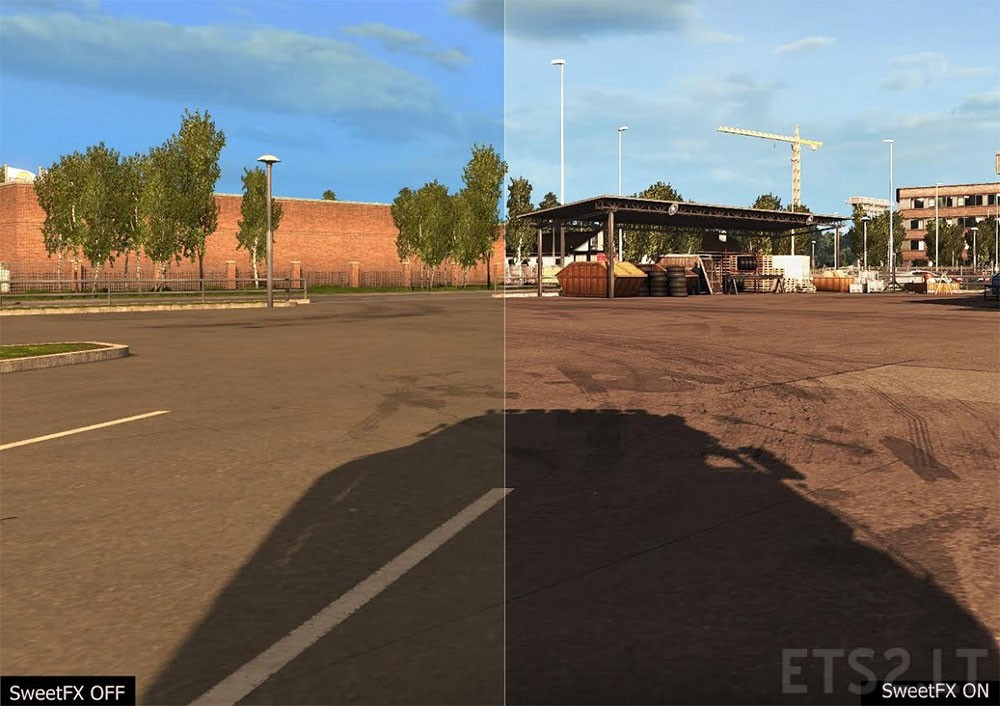
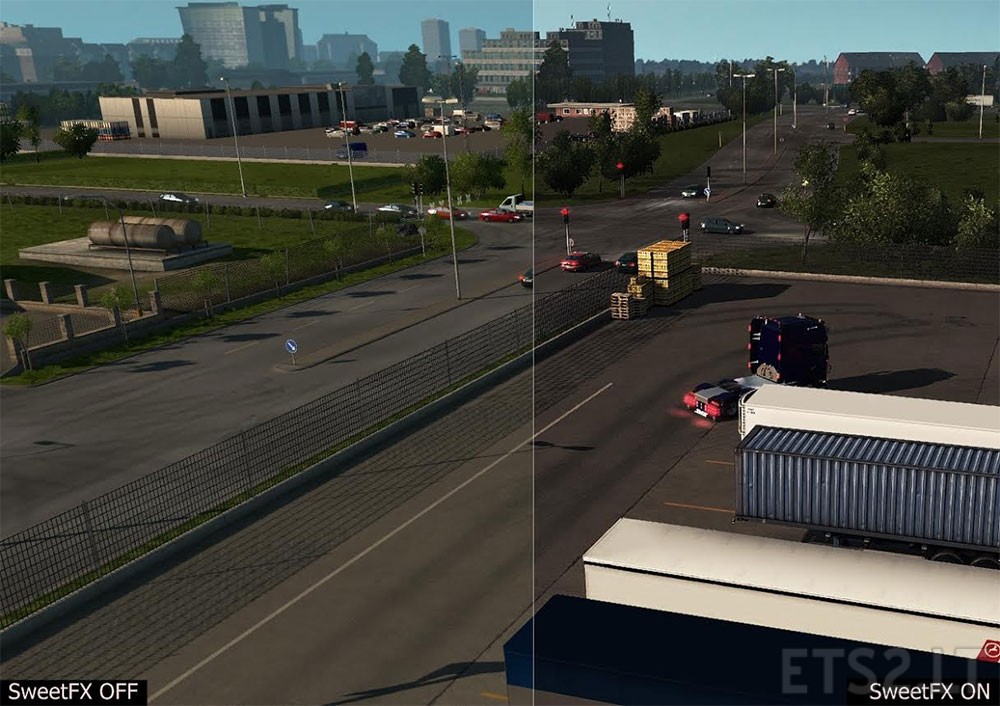

Work:1.23.x – 1.24.x public beta
1)Unrar files and run Reshade setup, choose .exe of the game what you want to apply this preset.
[Partion C-Program Files/Steam/steamapps/common/Euro Truck Sim 2/bin and choose win_x64 or win_x86]
2)Rename “preset” to” SweetFX_settings”
3)Finally open game folder then SweetFX folder and overwrite SweetFX_Settings with my “preset”.
Don’t re-upload file.
Credits:
Deepy, Ceejay.
Sponsored links
Sponsored links
https://www.youtube.com/watch?v=Q1oy77Ka-wo




I dont have any preset folder!
thanks 😀