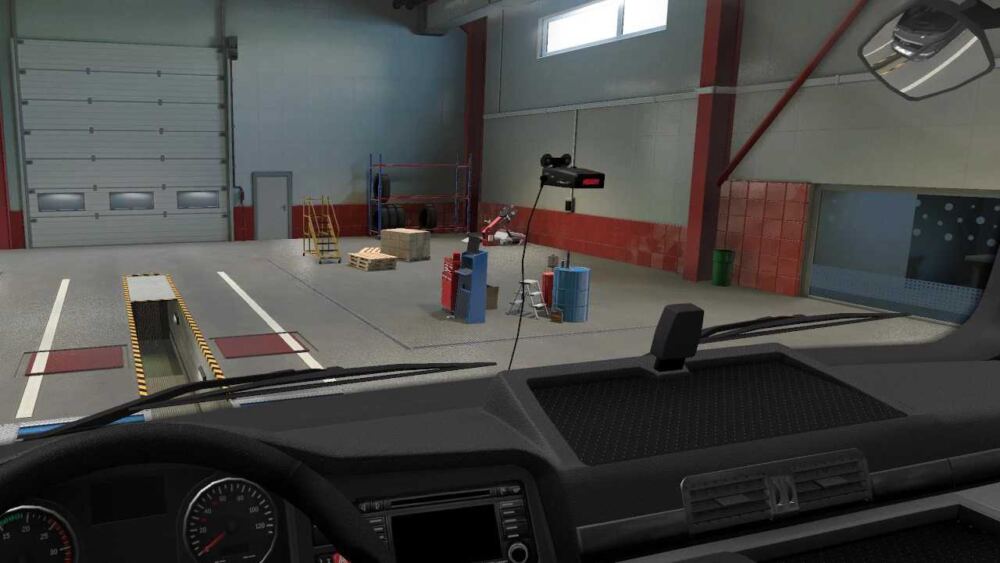
It is installed on the windshield;
Multiple options to choose from;
When approaching speed cameras, it warns about the operation of the radar.;
Police cars are not fined;
Added voice alerts about the passage of terminals;
Added a voice warning about an accident;
Added voice warning about road works;
The standard map and all DLC maps are supported.;
6 languages are supported: Russian, English, French, Italian, German, Chinese.
Version 1.53.3:
– Work was carried out with the model on the windshield
– Now the inscription on the radar lights up when the ignition is turned on
– In order for everything to work, you will need to go to a car repair shop and reinstall it
For version 1.53
Credits:
Garage-j1
Sponsored links
Sponsored links
![Company addon v3.6 [Schumi] [1.61]](https://ets2.lt/wp-content/uploads/2026/10/Company-addon-v3.6-Schumi-1.61-1-750x375.jpg)
![[1.62] High_Quality_Dashboard DAF NG2021+ – V2.16](https://ets2.lt/wp-content/uploads/2026/10/1.62-High_Quality_Dashboard-DAF-NG2021-V2.16-1-750x422.webp)
![[1.62] ETS2 Realistic Steering with Keyboard – V4.0.23](https://ets2.lt/wp-content/uploads/2026/10/1.62-ETS2-Realistic-Steering-with-Keyboard-V4.0.23-1.webp)
![[1.61] ETS2 Realistic Light Effect – V2.4.9.15](https://ets2.lt/wp-content/uploads/2026/10/1.61-ETS2-Realistic-Light-Effect-V2.4.9.15-1-750x422.webp)


Hi, click download and when it’s downloaded, open the down arrow in the top right corner and drag it to your desktop. Open the folder and drag the file to your desktop. It also contains a language folder; open that, find your language, and drag it to your desktop. You should end up with two files: one white and the other a WinZip folder. Copy both of these and open My Documents / Euro Truck 2 / Mod and paste them there. Open the game, go to Mods, and activate it (make sure it moves to the right). Once you’ve done that, click OK at the bottom. When you enter the game, go to Repair Truck and install it there. It has to be the game’s truck, not a truck mod.
How do I Install it correctly can you explain (language english)
A polski to gdzie??????