If you need a free camera for video capture or you simply look at the truck or the countryside …
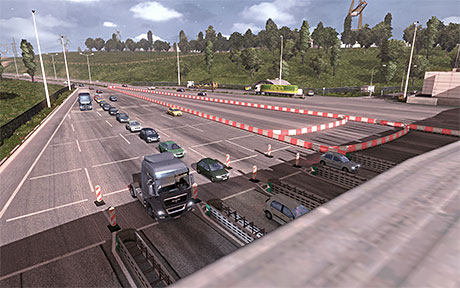
Read more to view tutorial
Go to the Documents folder / My Documents / ETS2
and then click the “config.cfg“, this opens it now with the text editor.
Now you look for the entry “uset g_developer” and
“uset g_console” and change there the “0” to “1“.
Sponsored links.
The speed of the camera:
“uset_g_flyspeed” 100.0 ” it is best to “100.0 ”
Editor save, done!
In the game you then press the “0” for free camera and the arrow keys 8,4,5,6 in the numeric pad on the keyboard and the mouse movement.





Love watching sunset !
Best view i have ever seen !
Love watching sunset !
Hello
Is It possible to move the position of the camera when you press 0
I find it awful to land under the truck, it will be more beautiful to land right next to the wheel of the truck as when you come down from a cabin by the foot.
THANKS
How i can change the camea controls?
i dont have a num pad bc im on a laptop how to fix it that?
this no longer works, I have enabled console, etc, but when I go to fly mode, it puts me in the great black abyss, numeric keys on the number pad no longer work
i can’t fly when i press 8 or somthing i go to an other camera help me plzz
How do i use Free cam on a laptop :l
The same way you use it on an desktop?
Is it possible to move without a numpad?
How can I change the controlls for the free camera? becouse I dont have key pad 🙁
you dont have this set above your keyboard?
!@#$%^&*()_+
1234567890-=
Para controlar la velocidad de la cámara no se requiere editar nada solo controlar la velocidad por la rueda del ratón…
Ifound the map Screenshots in my documents/ETS2 ,but only PNG,no movies.
In which map are the video’s of ETS?
I will try it out!
Большое ВАМ Спасибо!
i have done the exact thing as you said but it does save’s but it doesn’t work in game and a youtuber called baly can do it and many more youtubers can plz msg if you have a souloution
when i go into my documents and then in to euro truck simulator 2 and i click on config it tells me to look for an app in the appstore. plz help (i have windows 8 if that helps).
Open it with notepad
I chande uset g_devolper to “1” but it goes back to “0” but g_console stays at “1”
It keeps changing everything back to original settings
you must launch the game from the files directly, using the steam version launcher will reset the settings.
the new update (1.3.1) why can i not fly in the new update…i have done all i should, i did the console, i did the flyspeed but it did not change in the game????…HELP!!!!
I do not have uset_g_flyspeed inmy ETS2 Config.
thanks a lot for camera tutorial , but how can make movie
heyy, i can’t open config.cfg file. please help u,u
@Alffaan, you can open the cfg files in general with your notepad
Edit uset_g_flyspeed
Thank you very much!! 😀
Pieter
í have done this exactly like says here but nothing still hapens. pleas help 😐
I’ve done it to the word but I can’t fly around, what else needs to be done?
I have done it, but the cam is going way to fast. How do i put it slower?? Please help me.
hit the ` key to open the console type g_flyspeed *number* to cloase console press ` key