

Increased exposure that was not too dark on standard weather
Version 1.20
Author: axelrol
Sponsored links
Sponsored links
Increased exposure that was not too dark on standard weather
Version 1.20
Author: axelrol



It works fine but night time is like day time please fix this
FAKE!! not working in 64 bits game version
Crash makes me .. when I turn on the host game .. how can you fix it ..molam
мене ми прави краш.. кога ја уклучувам играта.. како може да го поправам тоа ..молам
Hello, why your game looks so nice mine just look the same?
my game just looks normal and yours look so nice.
please reply
Not work for me
i put all files to bin/win_x64 and than copy from SweetFX_x64 two DLL’s and replace with other two and when i start game i not see any difference and when i press INSERT to turn off/on its nothing happens
Is this only for 64 Bit computers?
Nope
No, It is for 32 bit. just watch the video posted earlier on how to add SweetFx. the second in the vid is for 64 bit
Much to bright!
Ohhh..really?? You dont adjust this?? sorry…
Doesn’t work for me the game crashes when I change screen resolution.
I’m using latest ETS 2 Steam editon both DLCs and Promods.
###…dont see to description???
You NO change graphics with Sweet…adjust your game-put files in game folder, play..ok???
Nowhere in the description says don’t change graphics in Sweet which I haven’t done. When I put Sweet where it is said I should, the game resets all graphics settings to default. And when I try to change resolution in the game with the games options tab the game crashes an when I restart the game the graphics in the game is reseted once again.
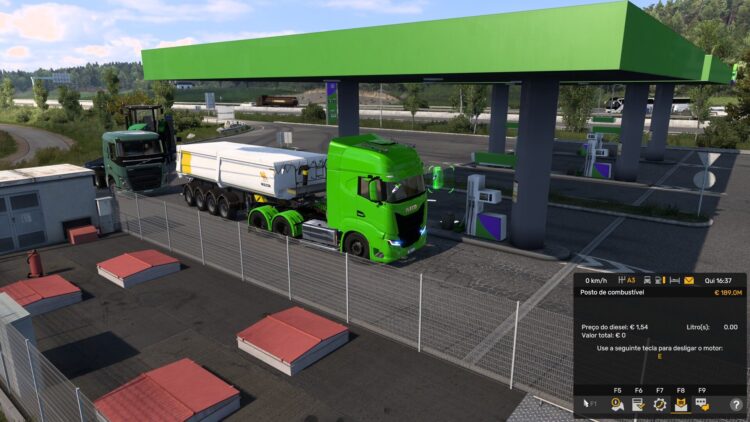
Where can I get the truck in the second picture? Look’s amazing.
Scania is privat? Please where can i download this nice scania? Thx 🙂
So we just unpak the rar file into our ETS2 folder? Or is this where we need to unpak the base file and pak it again after copy paste into unpaked base file folder?
Truck is private I guess?
can anyone explain me how to add sweet fx to ets2? what folders, files I need to put . please 🙂
Extract or copy all the files into the directory of a game exe.
https://www.youtube.com/watch?v=XKl8B43ZCLM
Check this video 🙂 It is about that SweetFX
Alternative link (i didnt upload it here pn lt so its not my fault :D)
http://www.mediafire.com/download/n33q7fqc93dk8j4/SweetFX+for+1.20.rar
Again – its not a truck.
What file you want? This is only SweetFX + Settings, its not a truck. Loool 😀
why not truck 😀
No File ???
No file?
It’s amazing, I thought that the second image was an actual photo